

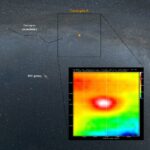
• Cassiopeia A recorded with SPIDER 300A radio telescope

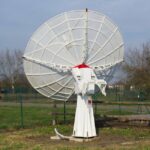
    Cassiopeia A it’s an important object for radio astronomy, a supernova remnant located in Cassiopeia constellation with a flux of 2400 Jansky at 1420 MHz. For this article we used the SPIDER 300A radio telescope that, thanks to the 3 meter parabolic antenna with high precision WP-100 mount, high sensitivity H142-One receiver, and the advanced features of the RadioUniversePRO software, is able to detect Cassiopeia A. The radio telescope is connected to the remote control room by using the Radio over fiber kit for SPIDER radio telescope that removes the normal gain loss because of cable length and improve even more performances of the radio telescope.

  • ESATTO as focuser for refractors and astrophotography

    ESATTO as focuser for refractors and astrophotography

    Thanks to the many available adapters, you can easily use ESATTO as the new focuser for refractors and improve performance, especially in astrophotography. Refractors, and especially the apochromatic models, are perfect instruments for astrophotography since they haven’t a very long focal length (you can use them for very long exposures also…

  • Experiments: solar radio emission with SPIDER radio telescope

    The Sun is one of the most interesting radio sources in the sky and solar radio emission can be studied by using SPIDER radio telescopes. The Sun not only emits visible light but also other frequencies in the electromagnetic spectrum, in fact you can feel the Sun heat on our skin, expression of infrared radiation. In this article with step-by-step guide, by using a 3 meter diameter SPIDER 300A radio telescope, we see how to detect radio waves coming from the Sun and generate various results (like radio images and transits) by using the RadioUniversePRO control software. We perform automatic pointing and tracking on the Sun, detection and removal of eventual artificial signal and capture of results.

  • Upgraded SPIDER 300A radio telescope in Medicina radio telescopes Visitor Center

    PrimaLuceLab Installation Team just upgraded the SPIDER 300A radio telescope installed in Medicina radio telescopes Visitor Center! Originally installed in 2018, the SPIDER 300A now has a new antenna, a larger and more precise mount (new design with electronics and cables integrated in the mount head) and new receiver and…

  • SPIDER 300A installed in University of Lincoln (UK)

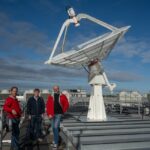
    PrimaLuceLab Team completed the installation of a new SPIDER 300A, the 3 meter diameter compact radio telescope for 1420 MHz radio astronomy, in University of Lincoln (UK)!

  • How to install ECCO2 on your telescope

    How to install ECCO2 on your telescope

    ECCO2 is designed to be connected to finder shoe of your telescope and it comes with an adapter that allows you to connect it to the finder shoe. Insert the ECCO2 to the adapter and lock it by using the 2 grub screws provided in the box. If your telescope…

  • First use: use ECCO2 with EAGLE Manager

    First use: use ECCO2 with EAGLE Manager

    ECCO2 is designed to work with the EAGLE (compatible with EAGLE4, EAGLE LE, EAGLE3 and EAGLE2 – in order to work with EAGLE2 it requires update of OS and EAGLE Manager to v3) and, in order to automatically control dew heater power it doesn’t need any external software. In order to…

  • Troubleshooting: ESATTO temperature probe doesn't work

    Troubleshooting: ESATTO temperature probe doesn’t work

    ESATTO is able to use a probe to detect ambient temperature. If, when you connect the probes and activate the connection to ESATTO from the FOCUSER Manager or PLAY, you do not get any temperature reading, this could be due to 2 factors: Probe connected after power up: the temperature…

  • Troubleshooting: ECCO temperature probe doesn't work

    Troubleshooting: ECCO temperature probe doesn’t work

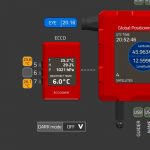
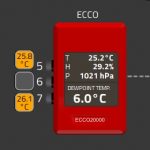
    ECCO uses probes that detect temperature of the optics and that allow ECCO to automatically control power supply to the dew heaters. If, when you connect the probes and activate the connection to ECCO from the EAGLE Manager, you do not get any temperature reading, this could be due to…