

• Improve your telescope cable management with EAGLE computer

    Improve your telescope cable management with EAGLE computer

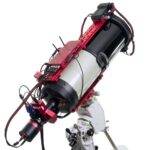
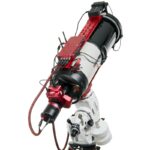
    Telescope cable management in astrophotography can be challenging due to the numerous devices required, such as the mount, camera, autoguider, electronic focuser, motorized filter wheel, and more—all of which need both data and power connections. When using a standard external computer, these cables can become tangled, pulled, or even disconnected…
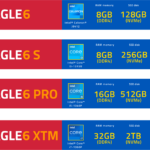
  • EAGLE6, EAGLE6 S, PRO or XTM - which model to choose

    EAGLE6, EAGLE6 S, PRO or XTM – which model to choose

    EAGLE, our all-in-one computer for telescopes and astrophotography, is available in multiple versions, each offering different levels of computing power and storage capacity. All EAGLE models share the same integrated design, combining a Windows-based computer (allowing you to use your preferred software and connect any compatible devices) with advanced features…

  • Use PixInsight to process deep-sky images recorded with PLAY

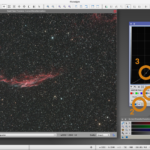
    Use PixInsight to process deep-sky images recorded with PLAY

    In this article we show how to use PixInsight to process deep-sky objects images recorded with PLAY astrophotography software. In this tutorial we’re going to process an image of NGC6992 nebula captured with a 100mm apochromatic refractor telescope on AZ-EQ6 mount in alt-az mode, with ESATTO focuser, ARCO rotator, GIOTTO…

  • Affordable radio interferometry with SPIDER MarkII radio telescopes

    Radio interferometry is the technique used by professional radio astronomers to create a single large radio telescope using multiple smaller antennas. Radio interferometry allows radio astronomers to obtain radio pictures with higher angular resolution, but up until now this technique has been used only in very expensive research instruments….

  • PLAY, how to use SEQUENCER to start an image sequence acquisition

    PLAY, how to use SEQUENCER to start an image sequence acquisition

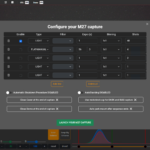
    In this article you can read how to use SEQUENCER to start an image sequence acquisition. Once you’re happy with the acquisition settings and the object framing, you can press the large PLAY button in the lower-right part of PLAY window and you will see a new popup window that…

  • How to remotely control your SkyWatcher equatorial or alt-azi mount with PLAY

    How to remotely control your SkyWatcher equatorial or alt-azi mount with PLAY

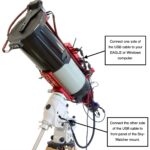
    PLAY astrophotography software allows you to control also SkyWatcher equatorial or alt-azi mount provided with ASCOM drivers. In this article we descrive how to connect SkyWatcher computerized equatorial or alt-azi mounts to EAGLE or standard Windows computer and how to use PLAY astrophotography software in order to remotely control them….

  • DUAL-COMPACT Observatory Station installed in San Bernardino County

    DUAL-COMPACT Observatory Station installed in San Bernardino County (California)

    The PrimaLuceLab Installation Team has successfully completed the installation of our first complete astronomical observatory in the United States – the DUAL-COMPACT Observatory Station, located in San Bernardino County, California! This state-of-the-art observatory is a groundbreaking achievement for PrimaLuceLab and the local community. This astronomical observatory was accomplished for San…

  • How to use EAGLE Manager X and simplify devices connectivity

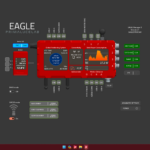
    How to use EAGLE Manager X and simplify devices connectivity

    The EAGLE computer is able to control many devices and this is very important in modern days since your astrophotography telescope may be composed by more electronic accessories: imaging camera, auto guider, motorised focuser, rotator, motorised filter wheel, flat field generator, telescope cover motor, dome, etc. Most of these (usually…